These issues are related to how many alarms and errors have been recorded by gSender. Deleting or renaming the .sender_rc file can help eliminate this issue.
Before you proceed, make sure to save your gSender settings (which include macros, keyboard shortcuts, and program events)!
- Go to the Config Tab, then under gSender Preferences, click the Export button in the top right corner of the screen.
- Save the file somewhere onto your computer that you can find afterwards.
Then follow the instructions for the computer you have:
gControl Panel
- Download and open the .bat file
-
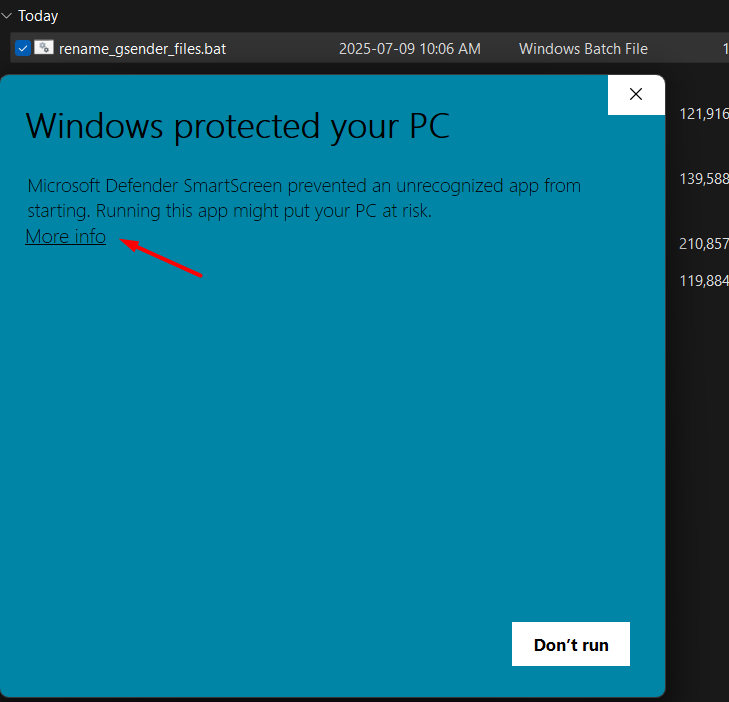
Once it finishes downloading, double-click on the file. On the pop-up, Click More info:
-
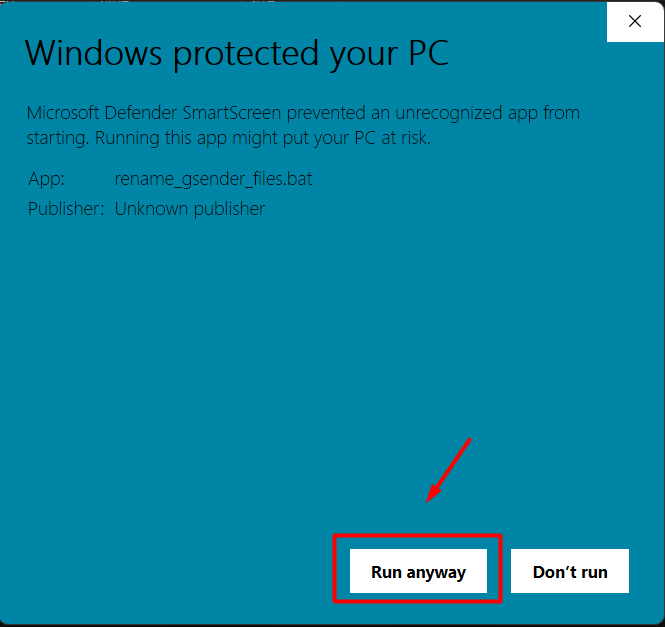
Click “Run anyway”:
-
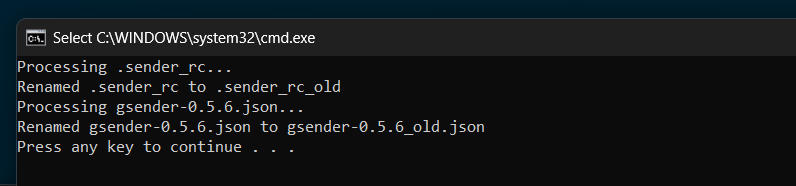
The Command Prompt window will show the results. Press any key to close it.
-
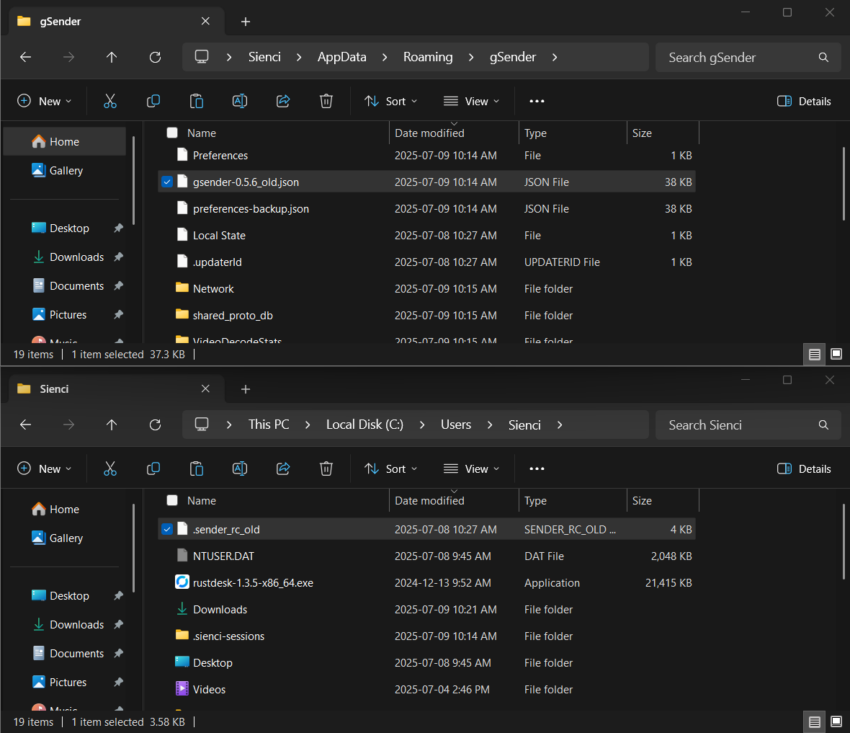
The .bat file you just ran will rename the files gsender-0.5.6.json and .sender_rc. This removes gSender’s reference to them, so the next time you open the app, it will automatically create new files.
-
If you prefer, you can deselect the option to show file extensions, to hide them.
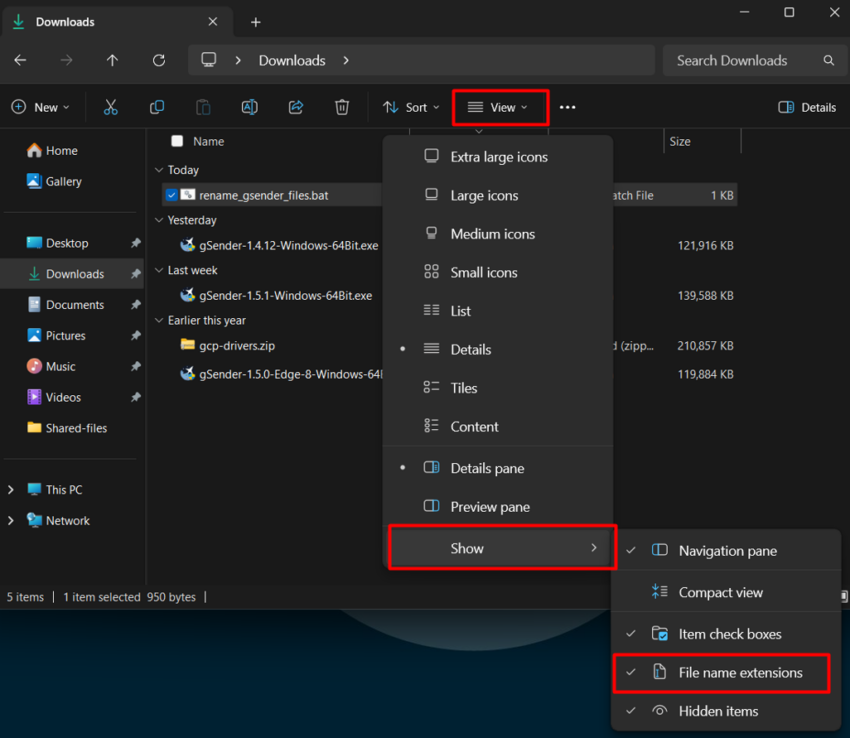
- Then open up gSender to see if it fixes your issue.
Windows
- Find .sender_rc on your hard drive, the path is C:/users/{your username}/.sender_rc
- Delete the file, then re-open gSender.
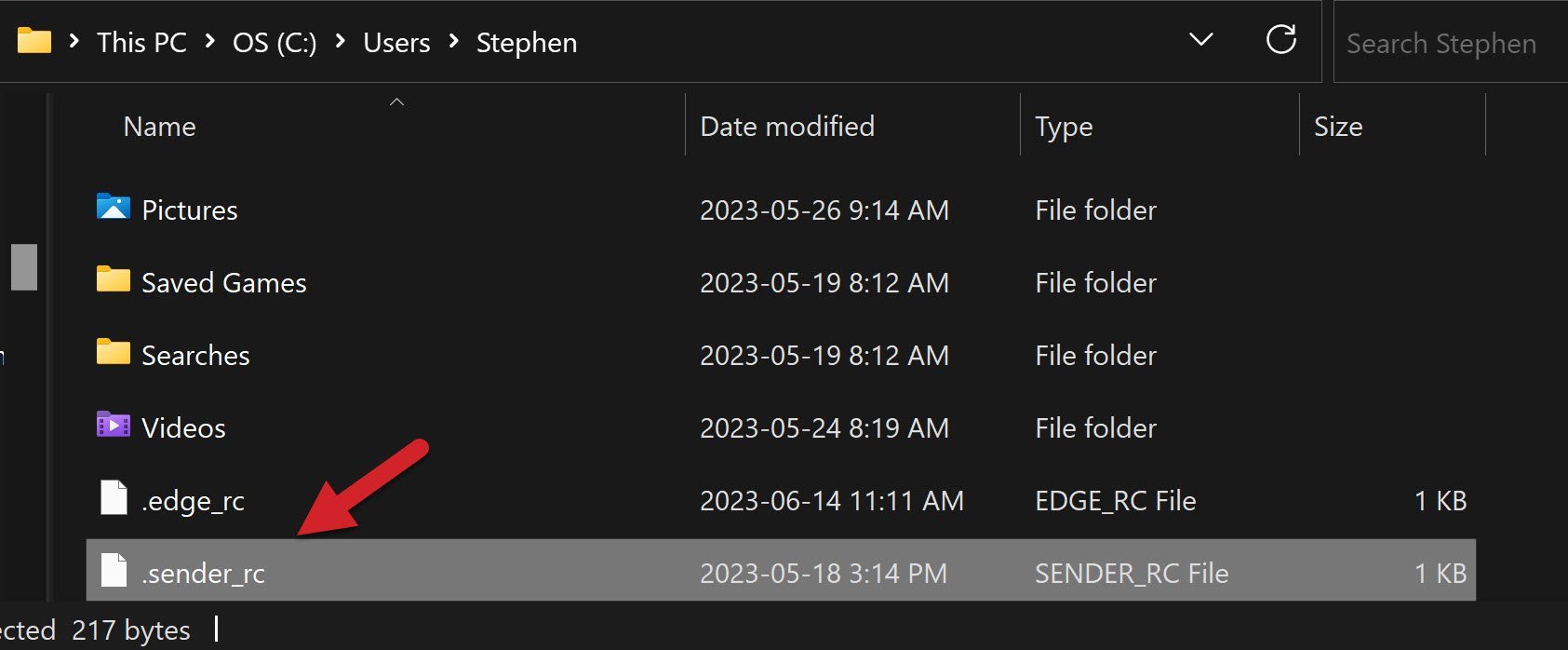

3. Make sure gSender is closed, then open file explorer and go to this location:
C:\Users\yourname\AppData\Roaming\gSender where yourname is the name of your computer
and rename this file to anything, such as gsender-0.5.6.json.old
Once the file has been renamed, open gSender and see if gSender will load.
Mac
- Open Finder. Press
CMD + Shift + Hkeys to navigate to your personal folder on the hard drive. - In another window, open the Terminal. Enter sudo chflags nohidden
- Then enter your password for the computer login
- Go back to Finder, you should be able to see the the file .sender_rc so go ahead and delete it by dragging to the trash bin.
- Re-open gSender.
Linux
The file is in the home directory as a hidden file. You can either:
- In Finder go to Go ➜ Computer ➜ Drive ➜ Users ➜ {your username} then unhide the “.sender_rc” file by pressing
CMD + Shift + .keys. Rename it to whatever you like, like “.sender_rc_old”, then try to open or reinstall gSender again.
OR
- Go into the Linux console and enter the command
mv ~/.sender_rc ~/.sender_rc_old. You’ll be able to double check the renaming was successful by sendingls -al | grep senderin the console, where if you only see.sender_rc_old, you have successfully remanded and are ready to try to open or re-install gSender.