Issue(s):
- Jittery jogging on gamepad or joystick
Resolution:
- Make sure you are using a gamepad we've tested: so far we've verified the Logitech F710 and YCCTeam Xbox Controller
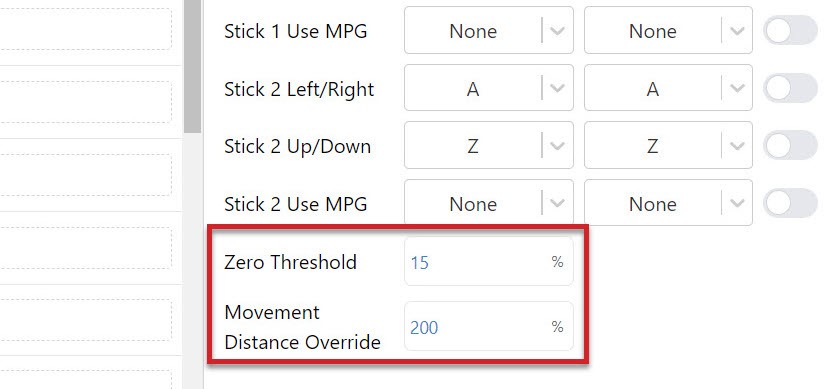
- Please go into your gamepad settings under Tools, and search for Movement Distance Override. Change this setting and see if you can find a value that works for your controller.

- If you let go of the thumbstick and the axis keeps moving, increase the ‘Zero Threshold‘ amount since your gamepad might be older and more worn out
- If you get jittering while moving with the thumbsticks, or you let go of the sticks and it takes a while to stop moving, you might want to adjust the ‘Movement Distance Override‘ value until you get smooth movement on your setup