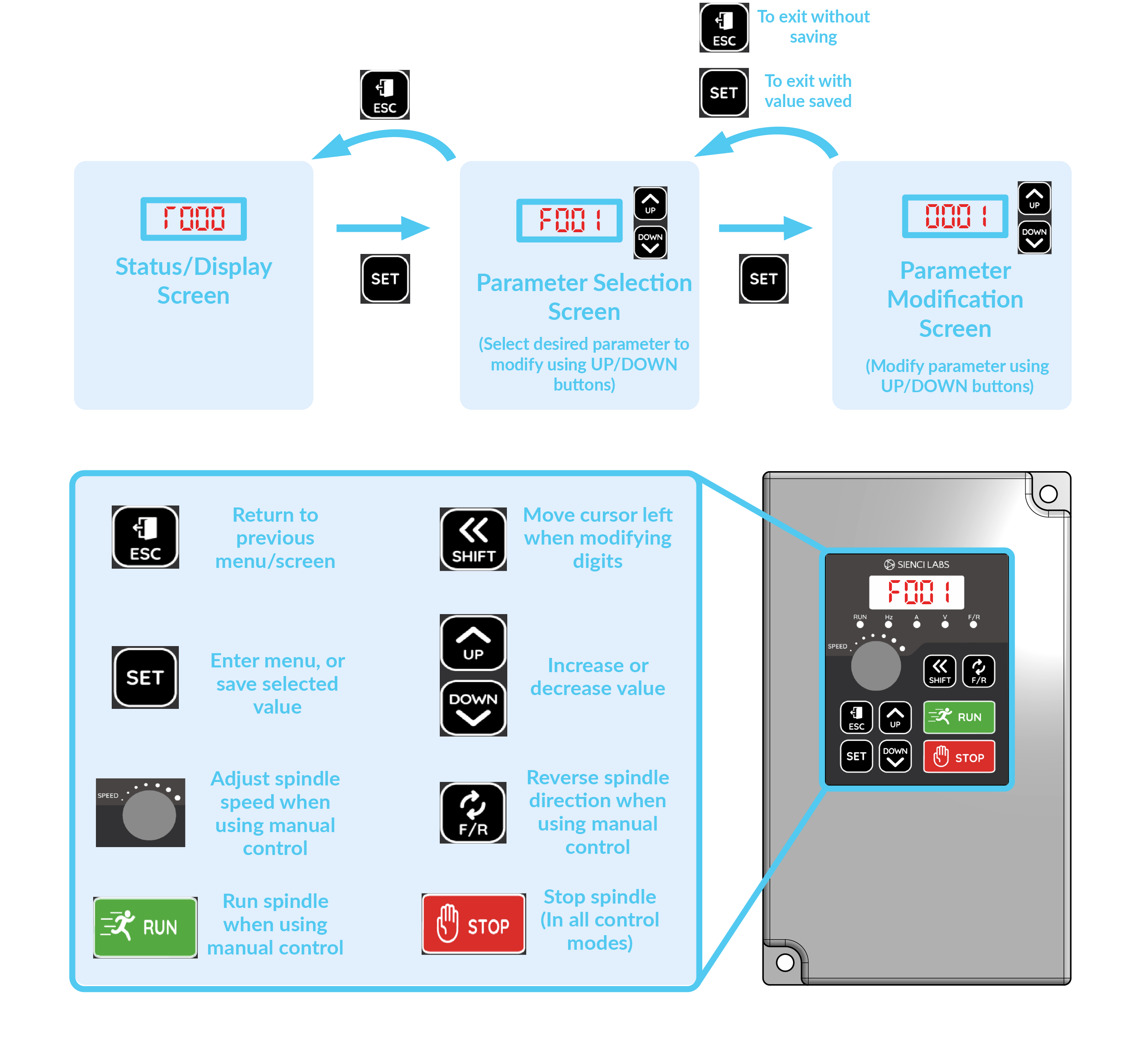
To modify values, press the ‘SET’ button to enter the parameter selection screen. Here, you’ll see parameters ranging from F000 to F199. Use the UP and DOWN buttons to select the parameter you’d like to modify, then press ‘SET’ to select that parameter.
Once in the parameter you’d like to change, use the UP and DOWN buttons to modify this. When done, press ‘SET’ again, to save the value and exit the parameter modification screen. If you’d like to exit the screen without saving the modified parameter, press the ‘ESC’ button instead.
Unlocking/Locking the VFD
Before you are able to change the VFD from Automatic to manual, the VFD must be unlocked for the settings to be updated.
To unlock the VFD parameters to allow changes to be made, you’ll first need to modify one parameter, or ensure this is already set to allow changes:
Navigate to the parameter ‘F000’, then press the UP or DOWN buttons to set this value to 0, then press ‘SET’ to save this.
Unlock Control Settings
| Parameter | Value | Name of Parameter | Description |
| F000 | 0 | Parameter Locking | Allows all parameters to be modified |
Lock Control settings
Parameter | Value | Name of Parameter | Description |
F000 | 1 | Parameter Locking | Locks all other parameters from being modified |
Manual Control Settings
| Parameter | Value | Name of Parameter | Description |
| F001 | 0 | Control Mode | Sets Panel buttons to trigger run/stop |
| F002 | 3 | Frequency Setting Selection | Sets spindle speed to be controlled by the knob |
Auto Control settings
| Parameter | Value | Name of Parameter | Description |
| F001 | 2 | Control Mode | Sets spindle to turn on/off by the software |
| F002 | 2 | Frequency Setting Selection | Sets spindle speed to be controlled by the software |